Signio DS
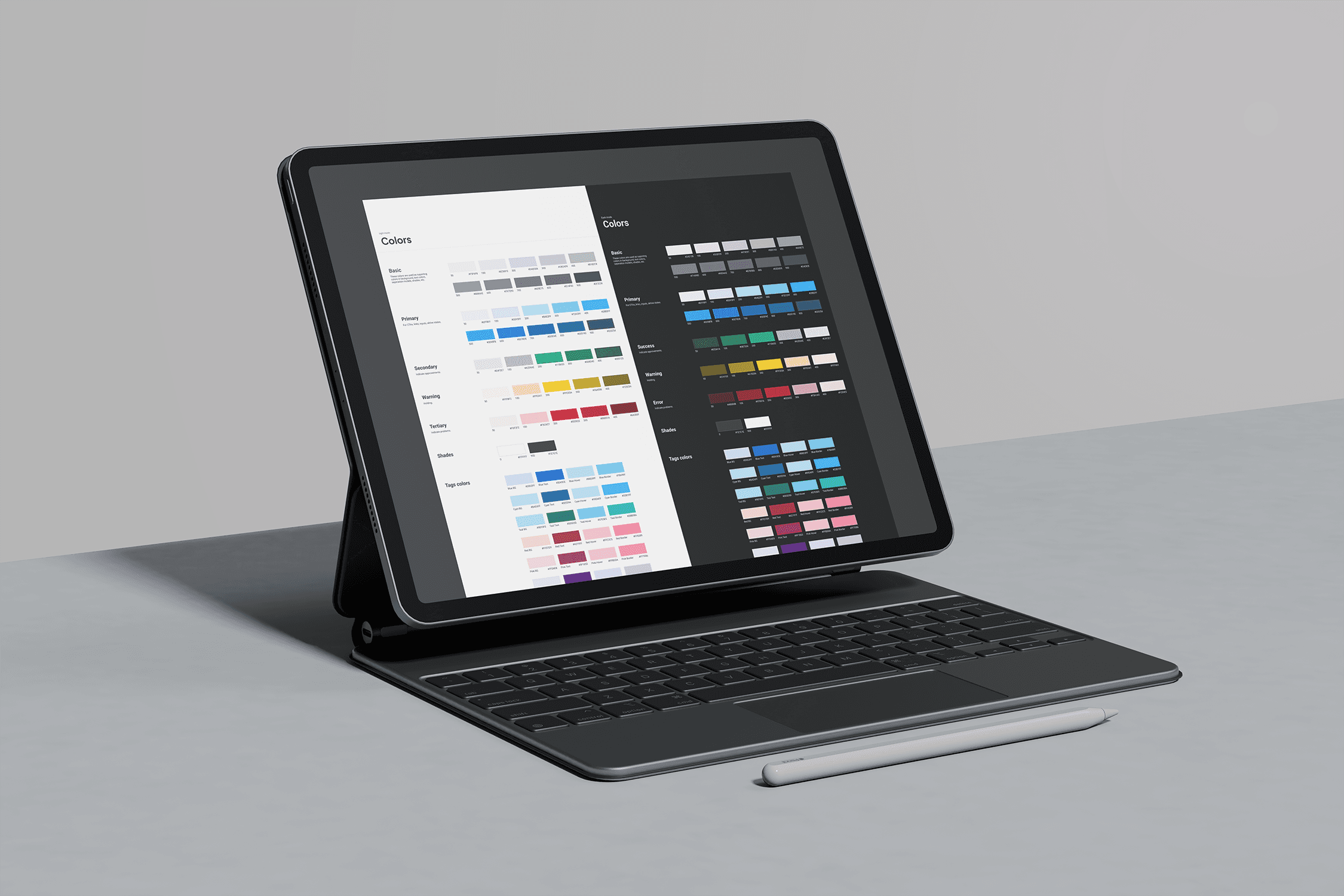
My role was to led the redesign of entire app. Based on researches I had created design strategy, what enhanced usability of app features. Developed a scalable, accessible & consistent new Design System in Figma.
Skills
Desk research
User interview
Survey
Workshop
Testing
Deliverables
Design library
Component guideline
Design token
Role
UX / UI Designer
Company
Nanovo
Overview
Double Diamond
Since joining Nanovo as a UX/UI Designer, I’ve led the development of the Signio Design System, now used across four digital products: Nanovo Preview, Nanovo Remote Control, Nanovo CDS, and Signio.
I approached the process using the double-diamond framework. I started with research, stakeholder interviews, and identified the core problems the system needed to solve. From there, I created a clear rollout plan for the design system structure and component delivery.
As foundational, atomic, and molecule-level components were released, I worked closely with teams, gathering feedback early and iterating continuously to make the system more scalable, consistent, and easy to use.
Roadmap

Pain Points
Discover & Define
I conducted interviews with frontend developers across different products to better understand their challenges and frustrations related to the UI. Since Signio previously didn’t have a dedicated designer on the team, I started from the ground up. I reviewed the existing codebase together with developers to identify inconsistencies, usability issues, and opportunities for improvement.
"
The team needed clearer guidelines for component behaviors across different states, including edge cases and uncommon interaction scenarios.
Front-end Developer
"
Preparing user testing was often time-consuming, as I had to manually recreate interactions for commonly used components such as buttons and inputs instead of reusing standardized interactive elements.
Researcher
"
There’s padding/spacing inconsistency between screens. We don’t know which one we should follow.
Front-end Developer
"
It is difficult to maintaining scalability and consistency as products continued to grow.
Front-end Developer
How might we … ?
How might we …
organize and scale the design system in a way that makes components easy to navigate, discover, and apply correctly?
How might we …
build a design system that works consistently across all screen sizes and viewports.
How might we …
incorporate interactions into the design system to better simulate real product behavior in prototypes and user testing.
How might we …
provide clear, structured guidelines for developers to ensure alignment between design and development and minimize inconsistencies.
Design & Validate
Planning the roadmap
Before starting the design phase, I prepared a concise plan and defined an estimated timeline. This helped management understand resource prioritization, align expectations on next steps, and get a clear view of the expected outcomes within a given timeframe.
Important elements
Configurable
Now it is easy to configure components within Figma.
Scalable
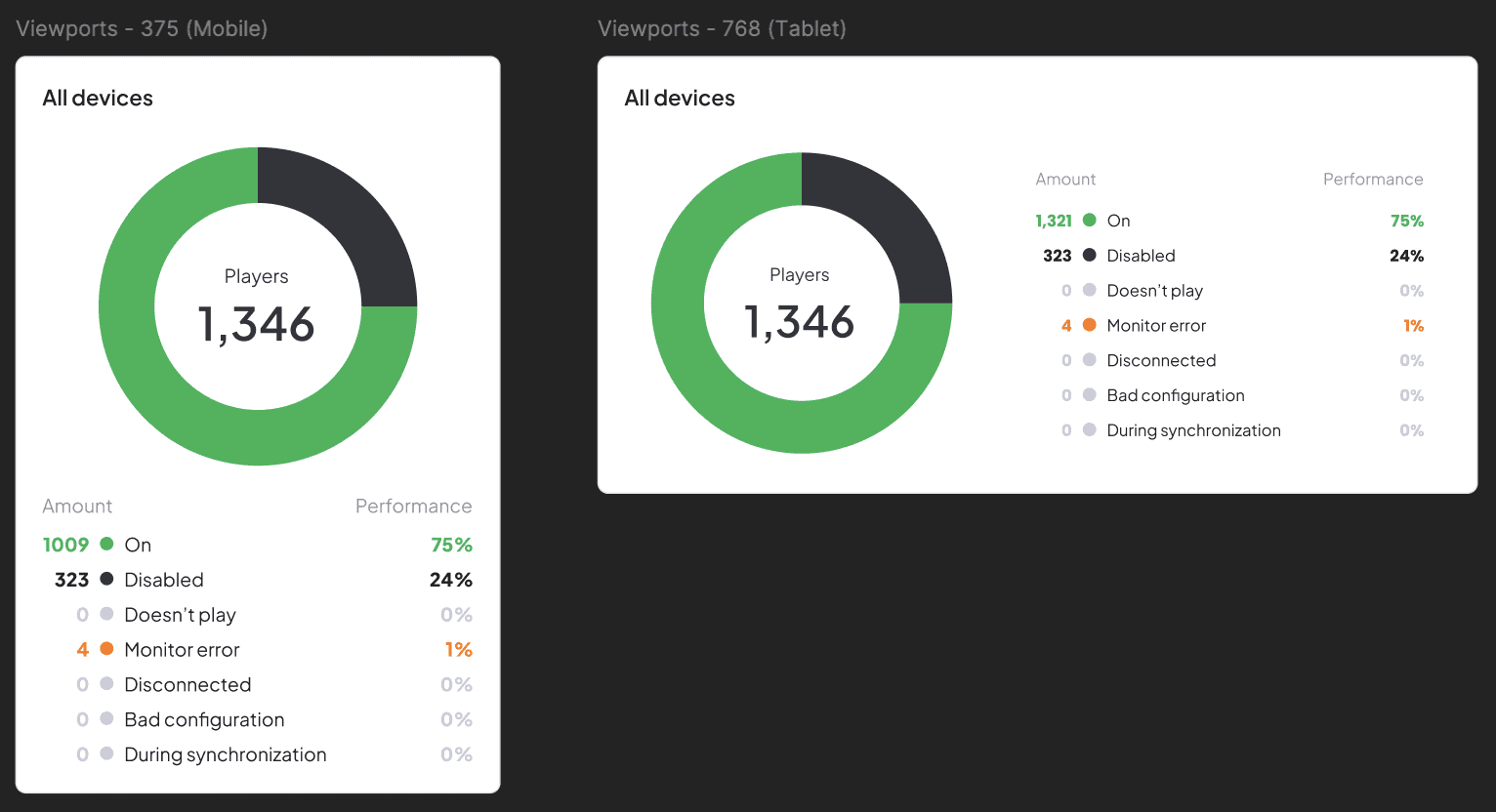
By implementing a well-structured auto-layout system, all components within the design system became fully responsive and adaptable across different screen sizes from mobile (375px) and tablet (768px) to desktop (1024px) and ultra-wide displays (1440px+).
Universal for app set
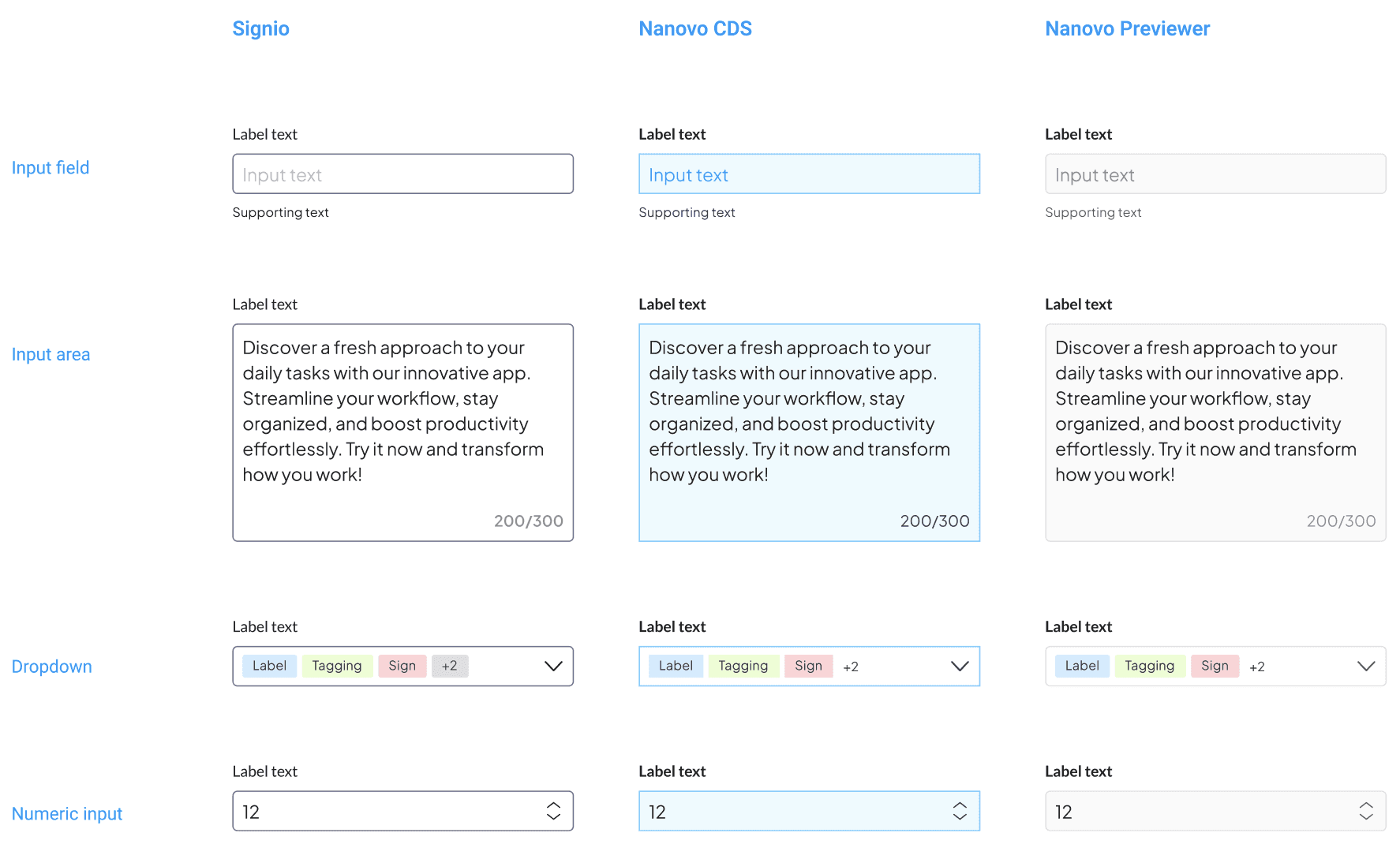
Because Nanovo’s ecosystem includes several products, the design system was built to support a wide range of visual styles and product needs.
Accessible
Accessibility was a key focus throughout the development of the design system. All components were designed in alignment with WCAG 2 guidelines to ensure they meet accessibility standards before release.
To support inclusive experiences for diverse user groups, I performed detailed accessibility checks covering colour contrast, focus states, and overall readability during the design and validation process.
Color contrast
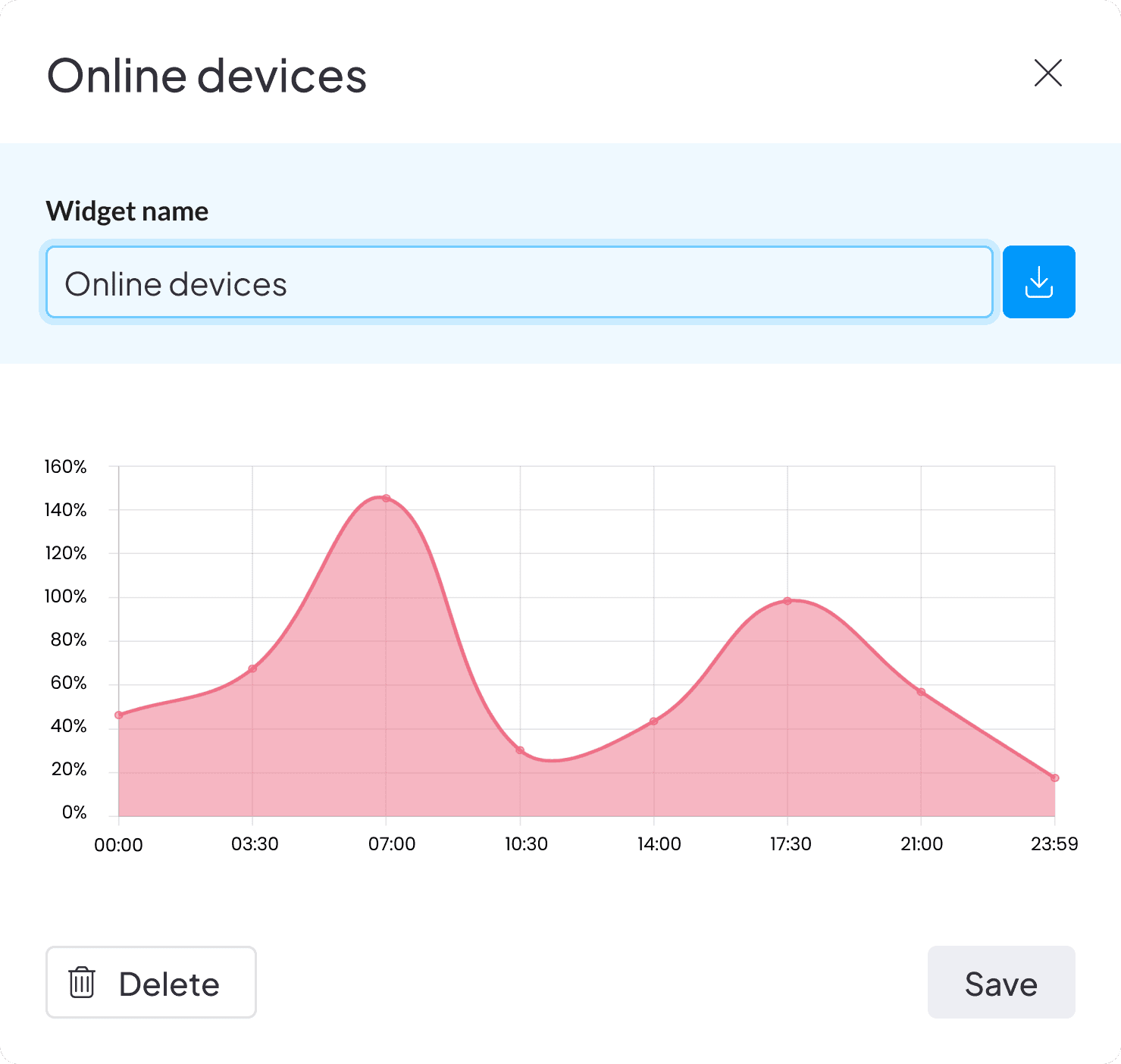
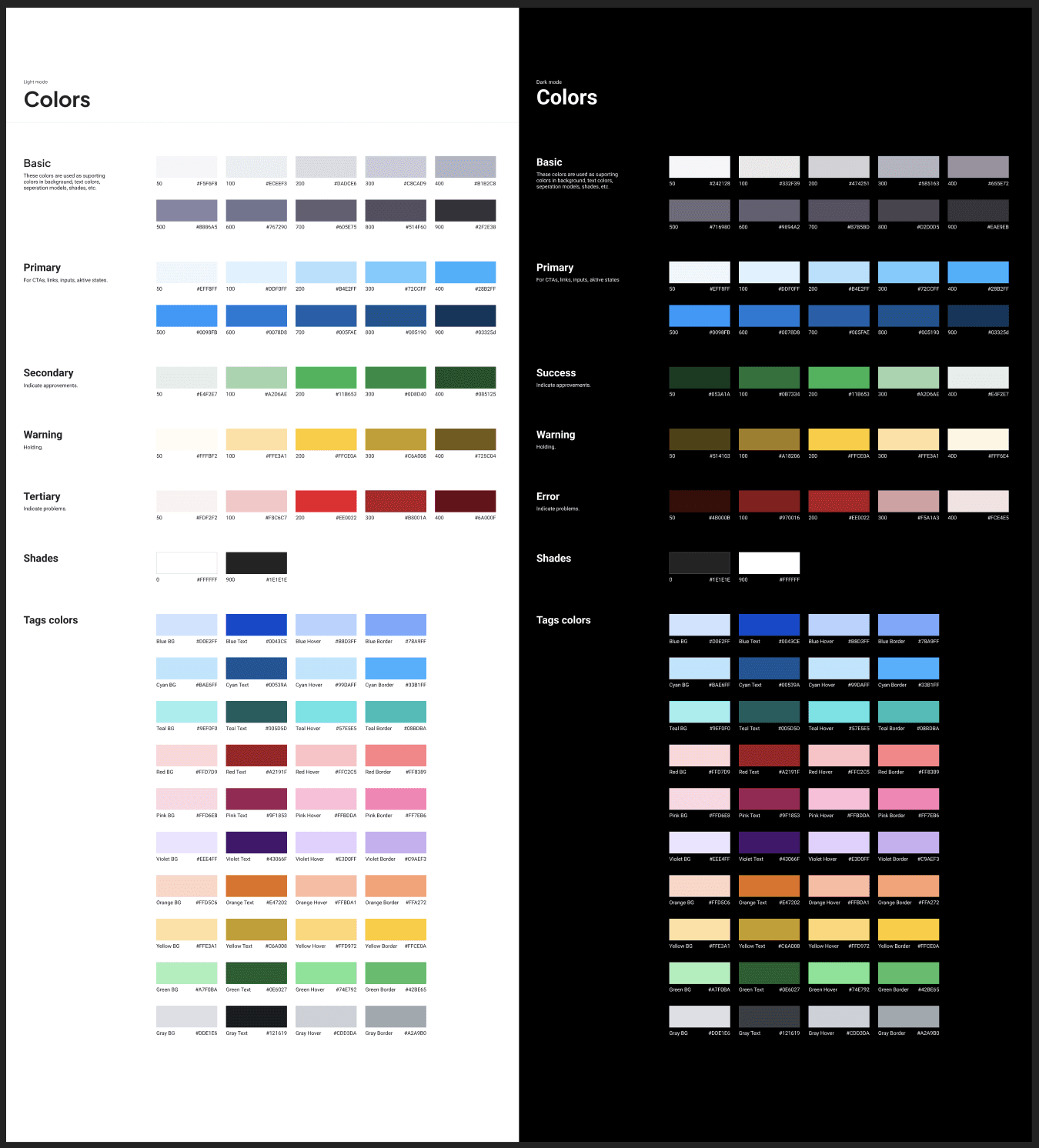
To ensure strong readability and accessibility, the minimum body text size for mobile viewports was set to 14px, with exceptions only for footnotes and condensed UI elements such as information tables. All colours were carefully selected to meet AAA color contrast requirements, maintaining a minimum contrast ratio of 7:1 for standard text and 4.5:1 for large text (19px and above), ensuring clear legibility across the interface.
Design System
Structure
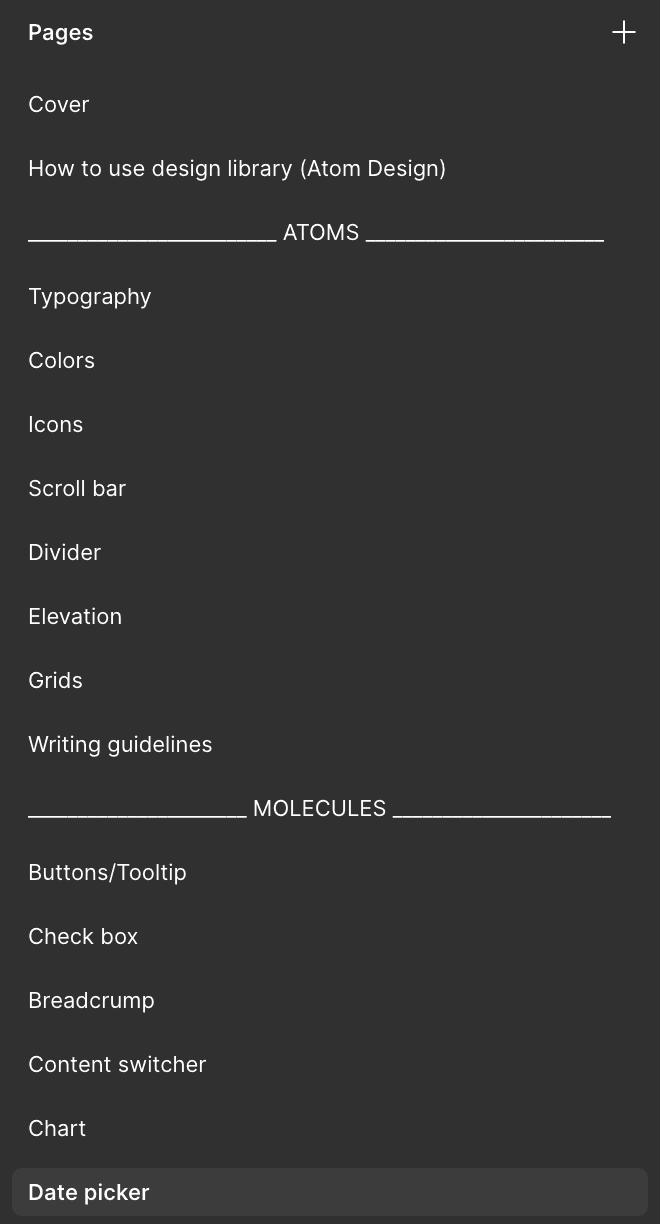
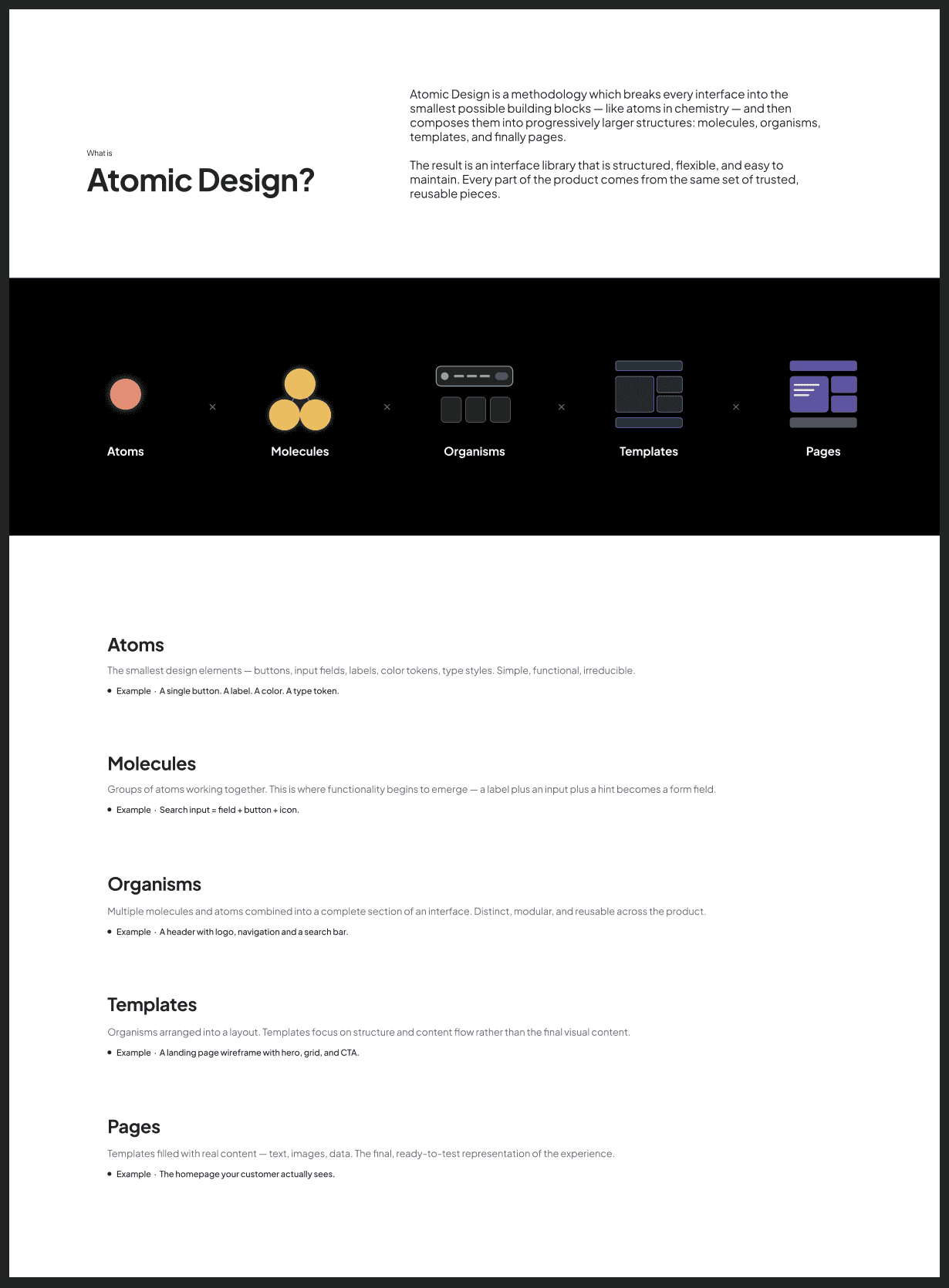
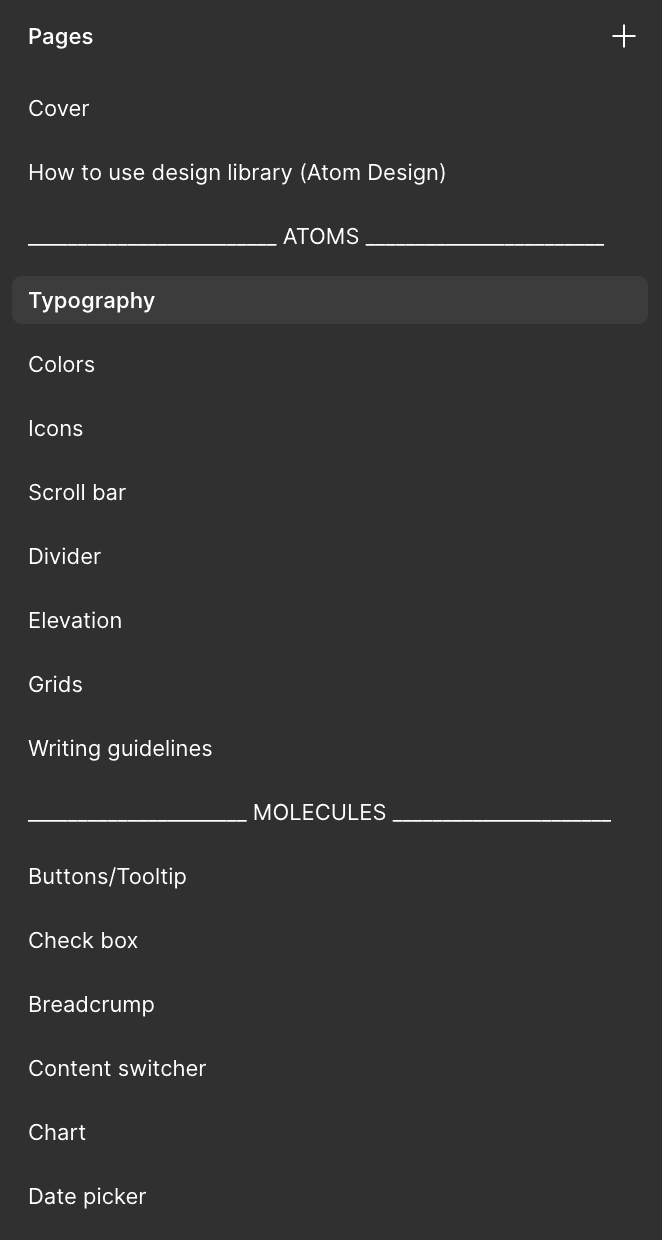
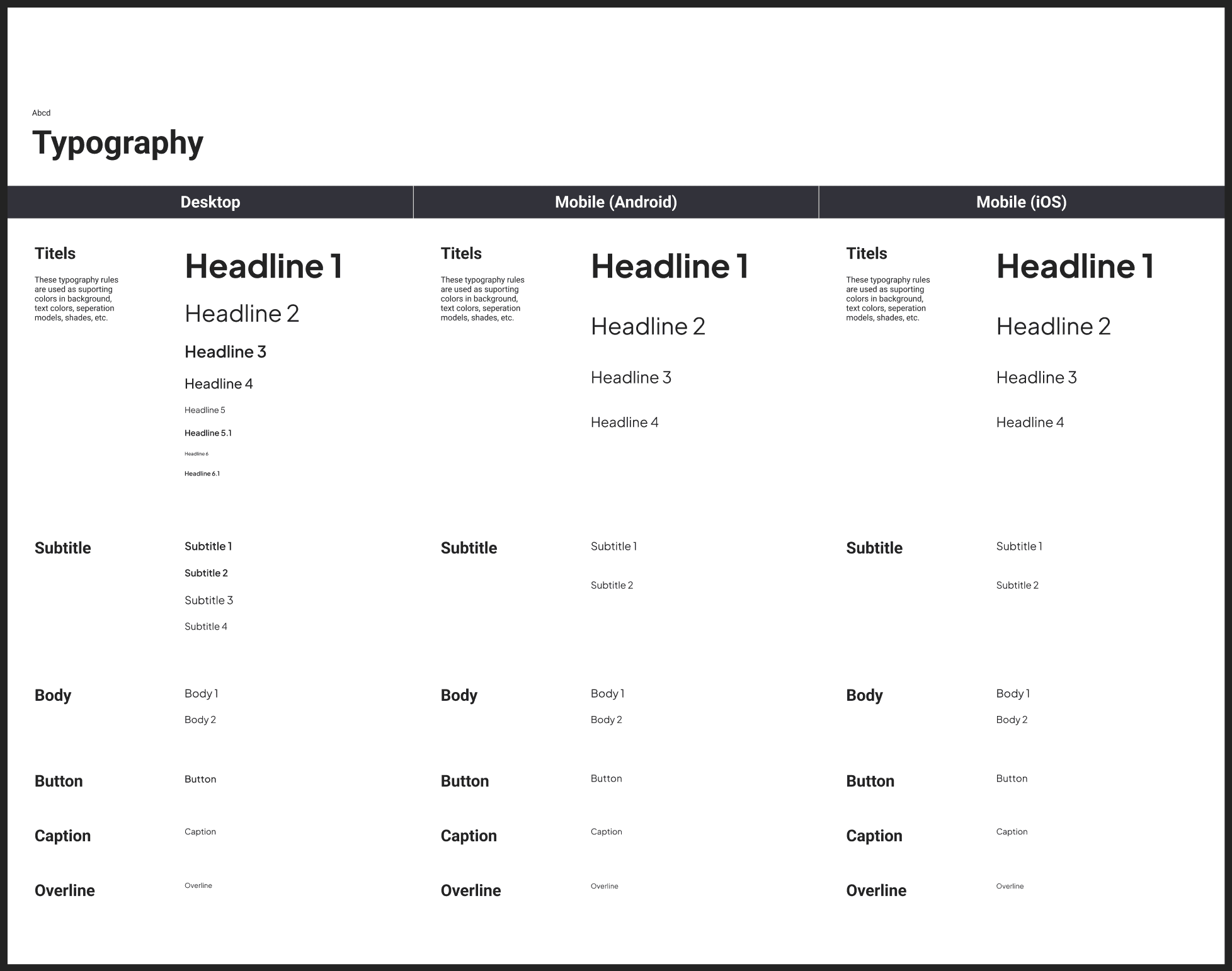
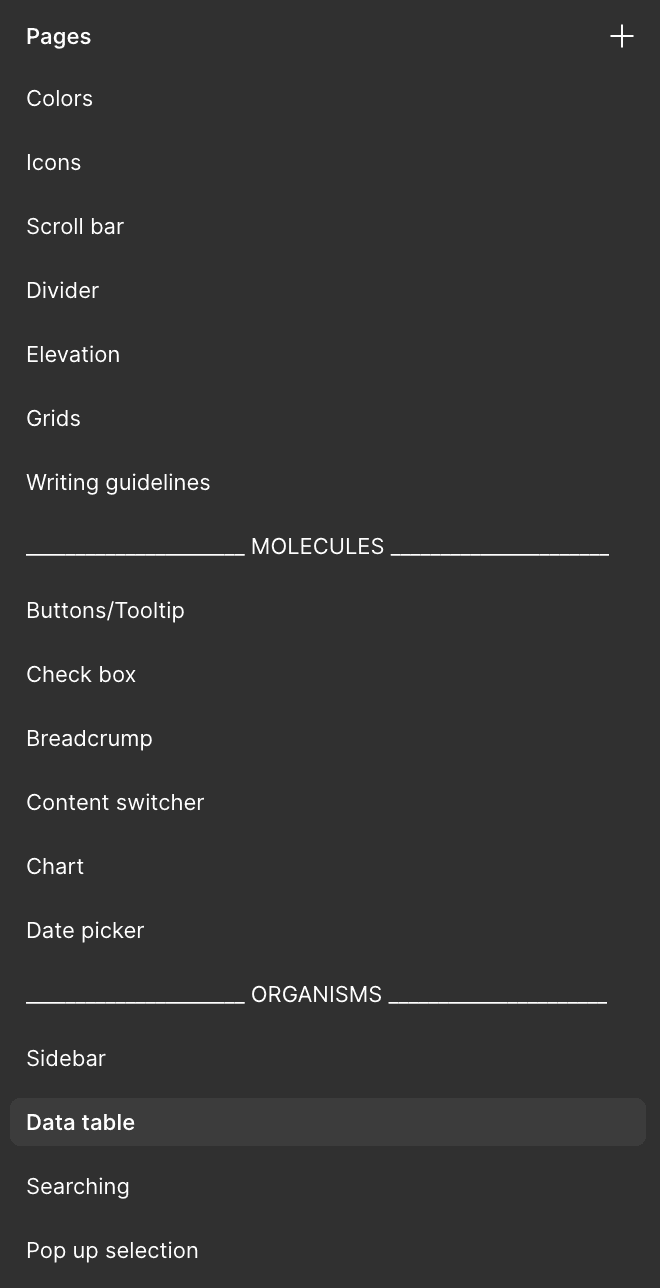
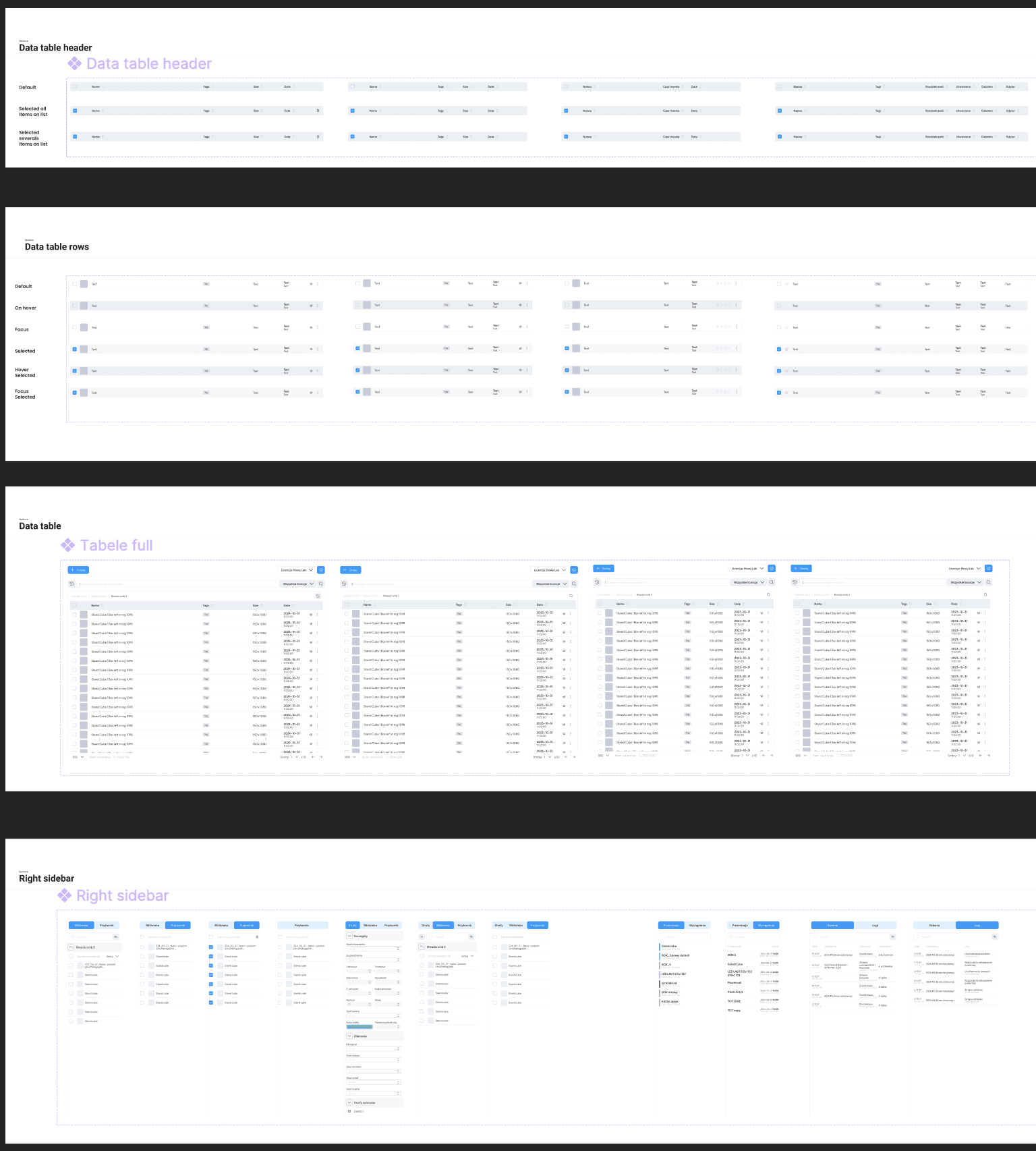
I carefully structured the content within our Figma master library, starting with a clear guide on how to use the system and the approach behind its organization. I followed atomic design principles, beginning with atom-level components, then building up through molecules and organisms, and so on. This structure makes the library intuitive to navigate and improves overall clarity and efficiency when working with it.
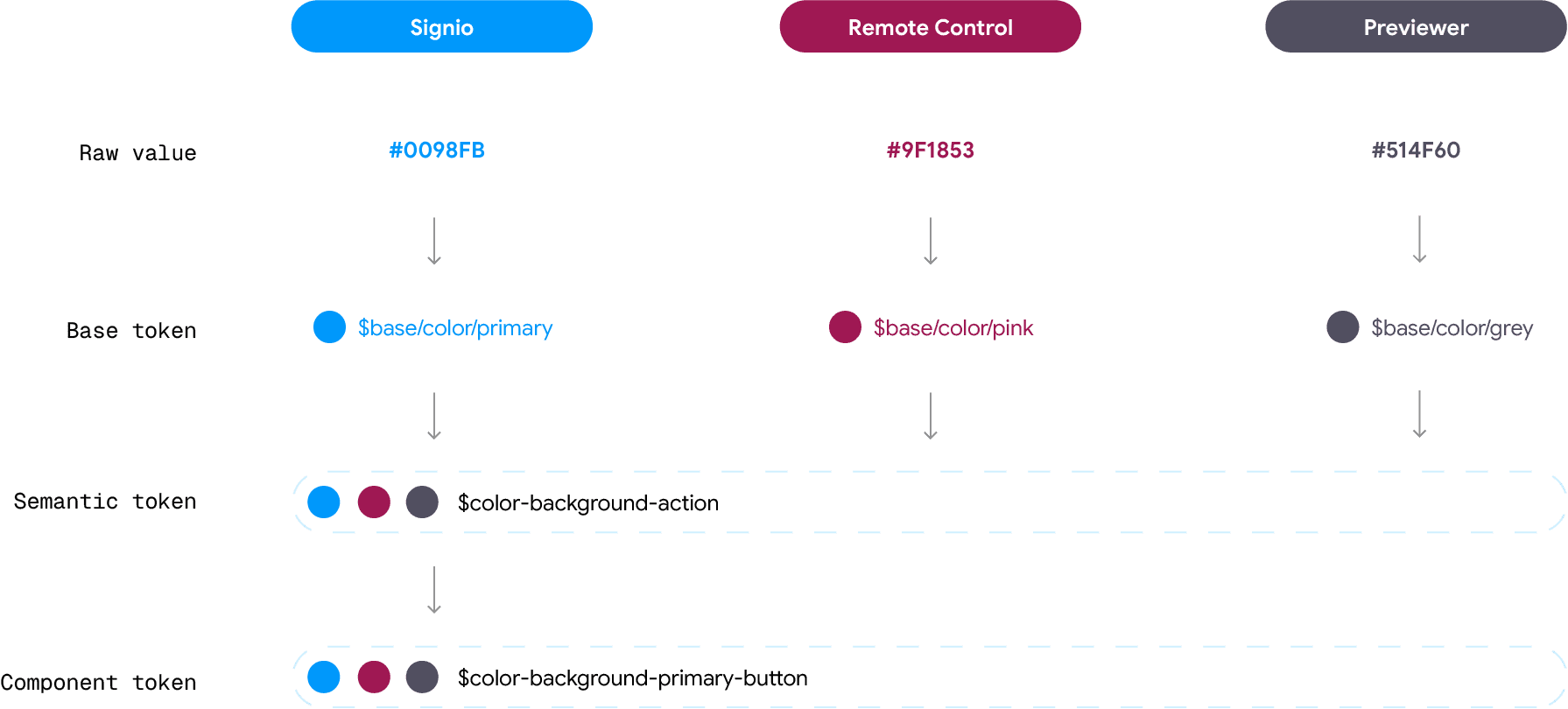
Design Token
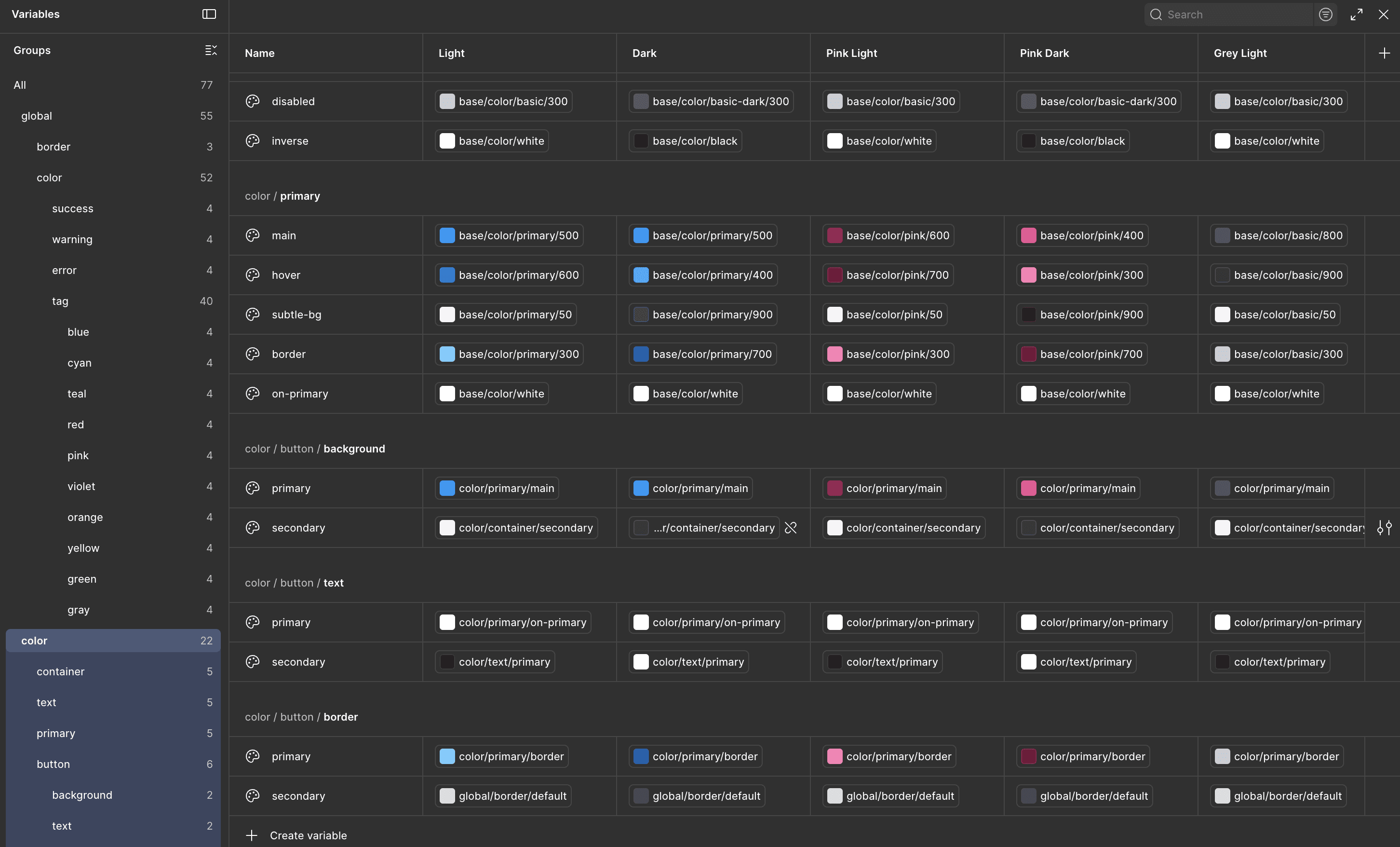
Setting up design tokens in Figma enables seamless theme switching and creates a more scalable, consistent design system. Establishing a robust token structure also improves the efficiency of component development and streamlines collaboration between design and engineering teams.

Have a new project in mind?
Feel free to reach out.
2026, Anastasiia Vrublevska
All rights Reserved.